Prepare CSV templates
Download our CSV templates for students, staff, and optional courses. Populate from your spreadsheets.
Choose your current system to preview migration timeline, cutover sequence, and field-mapping examples. This is the proof layer marketing pages were missing.
2–4 weeks
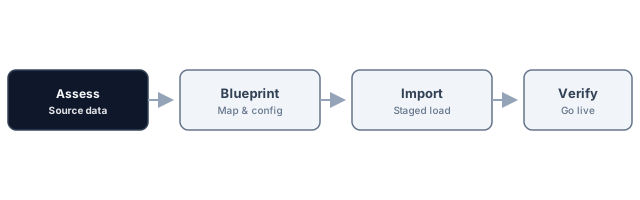
Your migration page is no longer just headline-plus-copy. It now shows the operator path, not only the promise.
Download our CSV templates for students, staff, and optional courses. Populate from your spreadsheets.
Upload CSVs in the migration wizard. Map columns to RunMyCampus fields. Validation runs on upload.
Address any validation errors and re-upload. Repeat until clean.
Run the import. Your tenant is populated. Invite users and switch to RunMyCampus.
| Source field | RunMyCampus field | Notes |
|---|---|---|
Column A (ID) |
External ID | Unique per student or staff |
Name columns |
First name, Last name | Or single Full name |
Grade / year |
Grade level | Match your grade set |
Platform scopes
Esc close · dismiss panel