Sign up
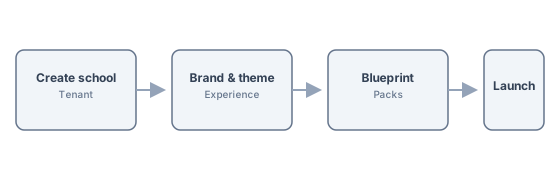
Create your account and confirm your school or district. Choose your plan and region. You'll get a verification email.
This simulator shows the same setup philosophy we use in-product: one dominant step, live previews, and launch-readiness before go-live.
Premium platforms do not make users interpret where to click next. They make the next high-confidence action obvious. That is the bar this setup flow is designed to hit.
Create your account and confirm your school or district. Choose your plan and region. You'll get a verification email.
Configure timezone, calendar, terms, and academic structure. The wizard guides you through core settings so your tenant matches your school.
Upload your logo, set colors, and customize portal appearance. Your school identity across admin, teacher, and parent portals.
Enable modules and assign workflow and dashboard packs. Turn on admissions, academics, finance, and communication as needed.
Import students and staff from spreadsheets or your current SIS. Use field mapping and validation before go-live.
Go live with your tenant. Train users, invite parents and teachers, and switch to RunMyCampus as your source of truth.
Progress, health score, current step, and launch readiness instead of a loose checklist.
One dominant CTA, recommended defaults, and advanced controls kept secondary.
Live preview cards for school website, admin shell, teacher dashboard, and parent portal.
Platform scopes
Esc close · dismiss panel